- Author
- app-hacks
- Published
- Updated
- Reviewed
Cloudflare / Email Routing / DNS
Forwarding Custom-Domain Email to an Existing Mailbox with Cloudflare Email Routing
A record of setting up inbound email forwarding for a custom domain, while keeping it separate from the contact form's sending path.
To receive inquiries at a custom-domain address, this site uses Cloudflare Email Routing to forward incoming email to an existing mailbox. This is an inbound path; it is separate from the mechanism that sends email from the contact form. Treating them as separate prevents an inbound forwarding rule from being mistaken for a form-sending setup, or sending API credentials from being placed in an email-routing setting.
Set it up as inbound forwarding
With Email Routing, verify the destination address before adding a rule for the custom-domain address. For this site, forwarding was configured for the inquiry address and a test email was confirmed at the destination mailbox. The destination address, the test message, and personally identifying information are not published.
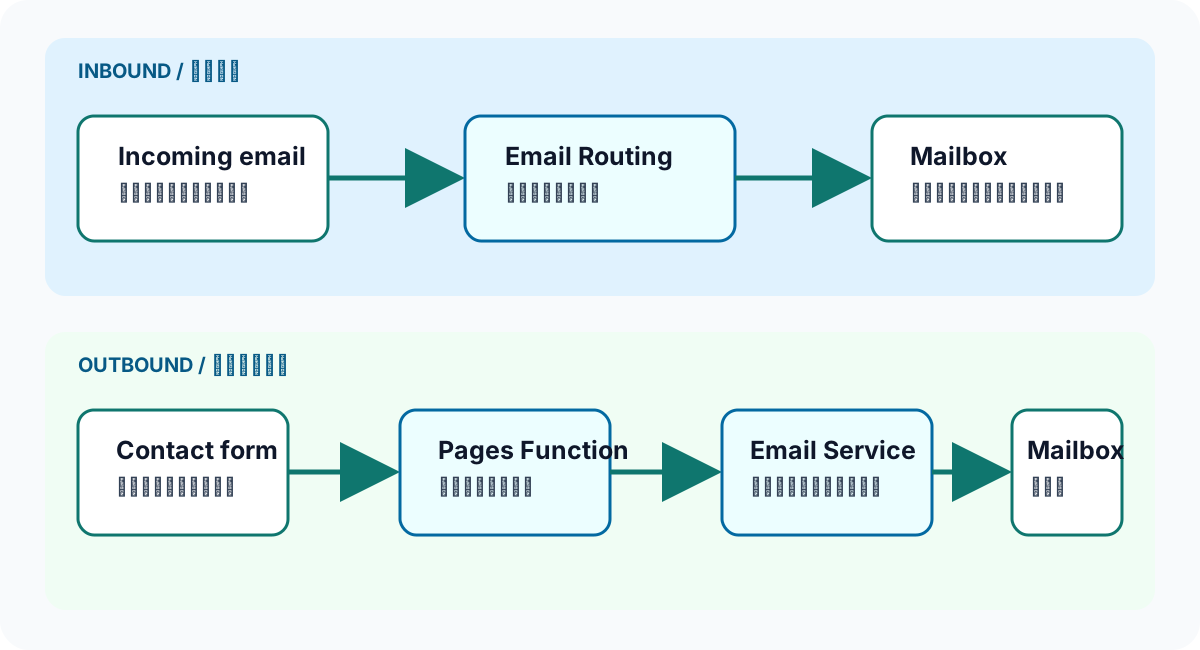
Email Routing forwards received email, while Email Service sends email from the application; they are separate paths.
Even when Cloudflare manages DNS, check the existing mail operation before changing mail-related records. Compare the records shown in the setup screen with the records already in the zone, and do not overwrite a record for the same purpose by assumption. Afterward, use an actual test email to check delivery, including sender-side rejection and spam filtering.
Why the public contact point became a form
The public HTML previously showed an email address with a mailto: link, but /contact/ is now the contact point. This does not make inbound forwarding unnecessary. The change prioritizes receiving the required input through the form and applying input validation and anti-abuse controls, rather than collecting a direct address from the page.
The contact form sends email by calling the Cloudflare Email Service REST API from a Pages Function. Email Routing is used for forwarding received messages, while Email Service is used by the application to send messages. A successful configuration of either one is not evidence that the other works.
Common mistakes and how to check them
Do not finish the check after adding DNS records. Send a test message from an external sender and verify its arrival at the forwarding destination. After adding a form, check direct receipt, form delivery, and replies as separate paths. Do not put the forwarding destination, credentials, or actual email contents in site content or the repository.
For an inbound test, check not only whether the message arrived, but also whether it was handled as the intended recipient and whether replying does not choose an unintended path. Include the spam folder in the check so a delivery failure can be distinguished from filtering. Inbound forwarding alone cannot guarantee sender-domain authentication or delivery quality; if a problem occurs, isolate DNS, the forwarding rule, and the sender in that order.
Consolidating public contact into a form is not intended to hide a contact channel. It allows the site to collect the necessary input, link to the privacy policy, and apply anti-abuse measures. The handling of an inbound path for a temporarily unavailable form is also different from a publicly displayed contact address. Separating public information from operational information helps keep personal information out of the article.
Before changing inbound-forwarding settings, check whether existing DNS records or other services will be affected. Email paths can become difficult to see after a change, so keep a short checklist of before-and-after checks. If an issue occurs, start with the records or rules changed most recently. Here as well, prioritize an actual receipt test over a completed status in a dashboard.
Official documentation and related page
- Cloudflare docs: Email Routing — Reference for checking inbound forwarding settings and DNS requirements.
- Contact — The current public contact point.