- Author
- app-hacks
- Published
- Updated
- Reviewed
Astro / i18n / Multilingual sites
Build a Multilingual Astro Site While Keeping Japanese URLs
Use Astro i18n with Japanese as the default URL structure and English under /en/ without changing existing Japanese URLs.
Build a Multilingual Astro Site While Keeping Japanese URLs
Adding English to an existing Japanese site creates a URL decision that is expensive to reverse. Moving Japanese pages to /ja/ changes links already shared, indexed, and bookmarked. For a Japanese-default site, it is usually clearer to keep Japanese URLs unchanged and place only English pages below /en/.
This article explains a file-based Astro structure where Japanese stays at / and English lives at /en/, along with the checks that keep the two versions aligned.
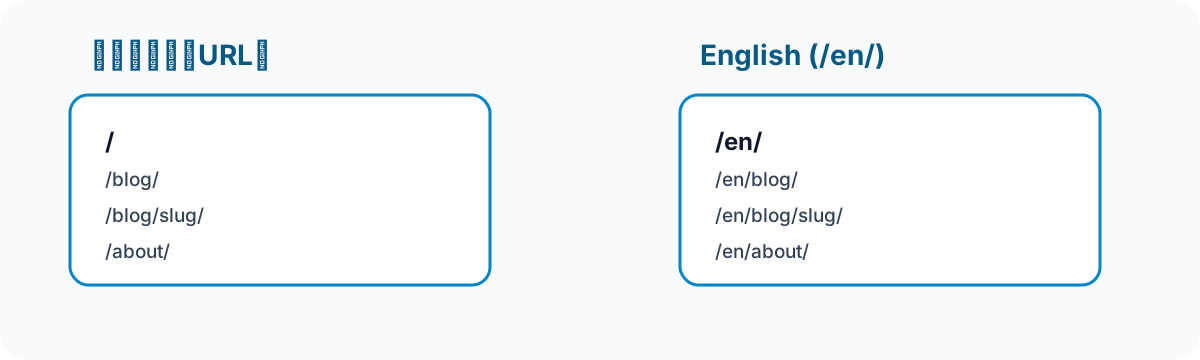
Decide the URL Pattern First
Use one consistent pair for every page type.
| Content | Japanese | English |
|---|---|---|
| Home | / |
/en/ |
| Article index | /blog/ |
/en/blog/ |
| Article | /blog/slug/ |
/en/blog/slug/ |
| Static page | /about/ |
/en/about/ |
Set the article ID and trailing-slash convention at the same time. Matching IDs let a language switcher and hreflang derive the corresponding URL predictably. If each language uses unrelated slugs, maintain an explicit mapping instead of guessing a counterpart.
Separate Pages by Language
Astro turns files in src/pages/ into routes. Keep Japanese pages in their usual locations and place English pages under src/pages/en/.
src/pages/
├── index.astro
├── blog/
│   ├── index.astro
│   └── [...slug].astro
└── en/
    ├── index.astro
    └── blog/
        ├── index.astro
        └── [...slug].astro
Translation includes navigation, headings, form labels, validation messages, page descriptions, and the document lang attribute—not only article text. A translated body paired with a Japanese title or language attribute is inconsistent for both readers and search systems.
Store Content in Separate Collections
Keep each language in its own Markdown directory and collection. For example, use src/content/blog/ for Japanese and src/content/blog-en/ for English.
const blog = defineCollection({
  loader: glob({ base: './src/content/blog', pattern: '**/*.md' }),
  schema: blogSchema,
});

const blogEn = defineCollection({
  loader: glob({ base: './src/content/blog-en', pattern: '**/*.md' }),
  schema: blogSchema,
});
Using the same ID in both directories gives the two versions a stable relationship. Keep title, description, and tags language-specific as well; do not reuse Japanese search-result text on the English page.
Do Not Force a Language Redirect
Browser language is useful for offering a link, not for replacing the URL a person opened. Show a language option and let the visitor decide. This respects bookmarks, shared links, and an explicit earlier language choice.
For article pages, derive the alternate URL from the current article ID. Do not show a switcher that points to a translation that has not been created. The visible language switcher and SEO hreflang markup work together, but they solve different problems and both need verification.
Verify the Production Build
Development rendering does not guarantee that every production route is correct. Before publishing, check that:
- Existing Japanese URLs have not changed to
/en/URLs. - Both-language home pages, static pages, indexes, and article pages are built.
- Each language has its own title, description, and
langattribute. - Language links point only to pages that exist.
- canonical and
hreflangvalues point to generated HTTPS URLs.
For a small static site, explicit pages and collections are easy to understand and keep URL intent clear. Reconsider a CMS or translation-management workflow only when the number of languages or translators makes the simple structure difficult to maintain.