- Author
- app-hacks
- Published
- Updated
- Reviewed
Astro / Content Collections / Publishing
Safely Manage Drafts and Publish Dates with Astro Content Collections
Use draft and pubDate validation to keep unpublished Astro posts out of lists, static routes, and sitemaps.
Safely Manage Drafts and Publish Dates with Astro Content Collections
Hiding a draft from an article index does not make it safe. If a static route or sitemap still includes it, the URL can be shared or discovered. Treat publication as one condition used consistently by frontmatter validation, indexes, static routes, and links.
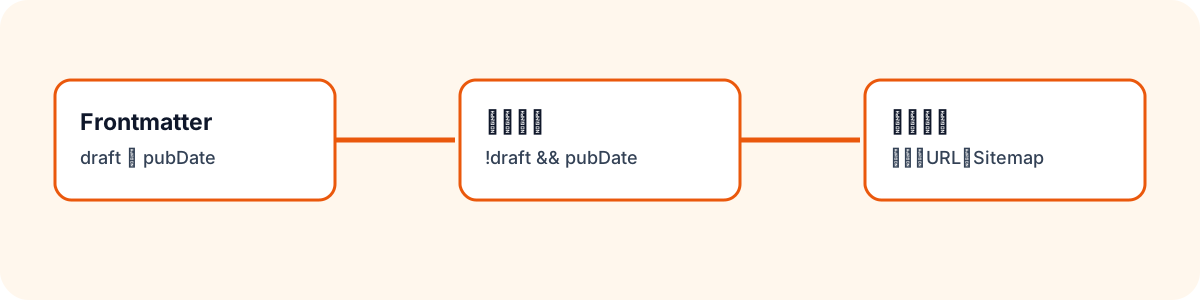
Define the Publication Rule in the Schema
Use draft as the explicit state and pubDate as a required fact for published content.
const blogSchema = z
  .object({
    title: z.string().min(1),
    description: z.string().min(1),
    pubDate: z.coerce.date().nullable().default(null),
    draft: z.boolean().default(false),
    tags: z.array(z.string().min(1)).min(1),
  })
  .superRefine((post, context) => {
    if (!post.draft && !post.pubDate) {
      context.addIssue({
        code: z.ZodIssueCode.custom,
        message: 'Published posts require pubDate.',
        path: ['pubDate'],
      });
    }
  });
This stops a published entry without a date at build time. A draft should have draft: true and no pubDate. Avoid placing a future publication date on a draft when the application treats that value as a publication fact.
Use the Same Rule for Indexes and Routes
Excluding a draft from an index is insufficient if getStaticPaths() still creates its page. Define the rule once and use it for both.
const isPublished = (post: CollectionEntry<'blog'>) =>
  !post.data.draft && Boolean(post.data.pubDate);

const publishedPosts = posts.filter(isPublished);
If drafts must be visible during local development, add that as a separate condition rather than weakening the production rule.
const includeDrafts = import.meta.env.DEV;
const routablePosts = posts.filter(
  (post) => includeDrafts || isPublished(post),
);
The development server can then render drafts while the production build creates routes only for published posts.
Keep Links and the Sitemap Aligned
Sitemap output depends on the routes that the build produces. Do not generate draft detail pages if they must stay out of the sitemap. Apply the same publication condition to related-post lists, previous/next navigation, and any RSS feed. A handwritten link from a published article to a draft is still a broken public link when the draft route is absent.
Verify the Built Output
Check the production output, not only the source code.
npm run build
test ! -e dist/blog/draft-article/index.html
! rg -q 'draft-article' dist/sitemap-0.xml
Check the index, detail-route directories, and sitemap for each language. Confirm both that the draft ID is absent and that each intended published article exists at its URL.
Keep the Publication Change Small
On publication day, change only the language-pair frontmatter fields: draft, pubDate, and, when needed, updatedDate and reviewedAt. Then build and inspect the output. Keeping publication state separate from content edits makes history and failures easier to understand.
Draft handling is not a single flag. A shared publication rule across schema validation, routes, links, and the sitemap prevents accidental public URLs.