- Author
- app-hacks
- Published
- Updated
- Reviewed
Astro / SEO / JSON-LD
Implement BlogPosting and BreadcrumbList Structured Data in Astro
Generate BlogPosting and BreadcrumbList JSON-LD in a shared Astro head component and verify the built HTML.
Implement BlogPosting and BreadcrumbList Structured Data in Astro
Hand-writing structured data in every Markdown file makes it easy for JSON-LD to drift from the visible title, publication date, and canonical URL. When an article layout already receives those values from frontmatter, pass the same data to one shared SEO component instead.
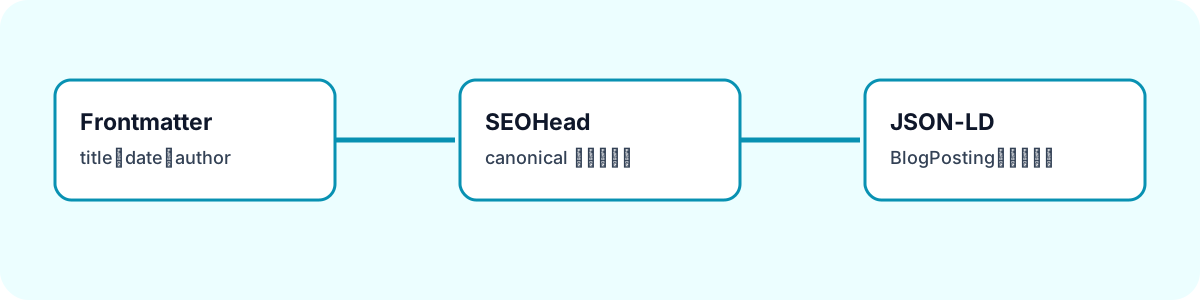
Share Data with the Visible Article
Supply real frontmatter and route data to the component that renders article metadata.
<SEOHead
  title={`${post.data.title} | app-hacks`}
  description={post.data.description}
  canonical={canonicalUrl}
  type="article"
  pubDate={post.data.pubDate}
  updatedDate={post.data.updatedDate}
  article={{
    headline: post.data.title,
    authorName: post.data.author,
  }}
  breadcrumbs={breadcrumbs}
/>
Do not invent a date, author, or image for a draft or incomplete entry. A draft without a publication date should not be generated as a production article page in the first place.
Build BlogPosting Conditionally
Create a BlogPosting object only when article data and a publication date exist.
const blogPosting = article && pubDate
  ? {
      '@context': 'https://schema.org',
      '@type': 'BlogPosting',
      headline: article.headline,
      description,
      url: canonicalUrl.href,
      datePublished: pubDate.toISOString(),
      dateModified: (updatedDate ?? pubDate).toISOString(),
      author: { '@type': 'Organization', name: article.authorName },
    }
  : undefined;
An explicit fallback from dateModified to pubDate prevents the visible article and JSON-LD from developing separate date rules.
Build BreadcrumbList from Route Data
Pass display names and URLs in the same order used by the visible navigation.
const breadcrumbs = [
  { name: 'Home', url: '/' },
  { name: 'Articles', url: '/en/blog/' },
  { name: post.data.title, url: canonicalUrl },
];
Converting paths through new URL() gives the structured data the same absolute host as the canonical URL. It also avoids maintaining route strings in several unrelated templates.
Embed the JSON Safely
Serialize the data before placing it in a script element. Replace < so article text cannot affect script parsing.
const jsonLdText = JSON.stringify(jsonLd).replace(/</g, '\\u003c');This does not create metadata; it safely represents the values already supplied by the article and route.
Inspect the Generated HTML
After npm run build, inspect application/ld+json in a built article. Check the type, headline, description, URL, dates, author, and breadcrumb order. Confirm that localhost, preview URLs, and nonexistent image URLs are absent. Structured data does not guarantee a particular search presentation, but generating it from the same real data as the page avoids avoidable inconsistencies.