- Author
- app-hacks
- Published
- Updated
- Reviewed
Canvas API / WebP / JavaScript
Convert and Compress WebP Images in the Browser with Canvas API
Use file reading, Canvas conversion, quality control, transparency, and Blob downloads to make a browser-only WebP converter.
Convert and Compress WebP Images in the Browser with Canvas API
Canvas API can convert an image to WebP in the browser without uploading it to a server. The implementation still needs to handle file selection, image loading, drawing, Blob creation, and Object URL cleanup as separate responsibilities.
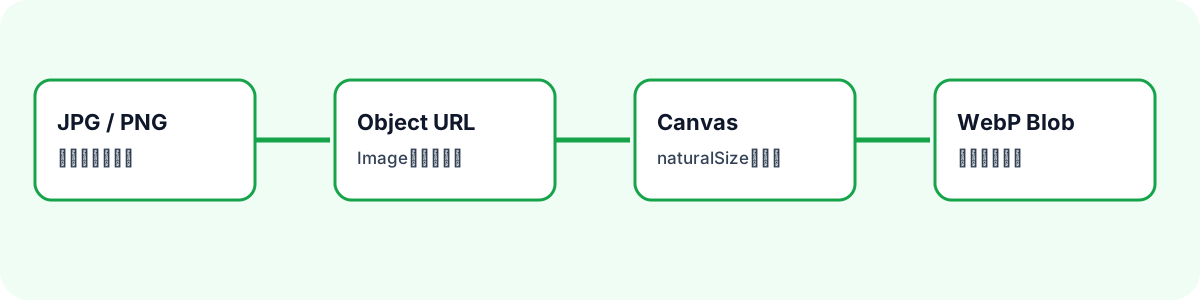
Try the workflow with the WebP Converter.
Accept Only Supported Input Files
Use file type checks in addition to an input accept attribute.
function isSupportedImage(file: File) {
  return file.type === 'image/jpeg' || file.type === 'image/png';
}
This example accepts JPG and PNG and always outputs image/webp. Do not assume that SVG, GIF, animated formats, or multi-page images work through the same path.
Load Through an Object URL
Create a temporary URL for the selected file, load it into an image, and use natural dimensions for the Canvas.
const sourceUrl = URL.createObjectURL(file);
const image = new Image();

await new Promise<void>((resolve, reject) => {
  image.onload = () => resolve();
  image.onerror = () => reject(new Error('Could not load image.'));
  image.src = sourceUrl;
});

canvas.width = image.naturalWidth;
canvas.height = image.naturalHeight;
context.drawImage(image, 0, 0);
Release the source URL after a failed load and whenever a replacement file makes it unnecessary.
Create and Validate the WebP Blob
Pass image/webp and a 0–1 quality value to canvas.toBlob().
function toWebp(canvas: HTMLCanvasElement, quality: number) {
  return new Promise<Blob>((resolve, reject) => {
    canvas.toBlob((blob) => {
      if (!blob || blob.type !== 'image/webp') {
        reject(new Error('Could not create WebP.'));
        return;
      }
      resolve(blob);
    }, 'image/webp', quality / 100);
  });
}
Do not enable preview or download when the Blob is missing or has an unexpected type. Browser support can vary, so a failed conversion must not look successful.
Manage Preview and Download URLs
Create a separate Object URL for the result Blob. Revoke the previous result URL before replacing it so repeated conversions do not keep unused Blob references. Build a download filename by replacing the source extension.
const baseName = file.name.replace(/\.[^.]+$/, '') || 'image';
downloadLink.download = `${baseName}.webp`;
Do Not Treat Quality as a Size Guarantee
Lower quality does not guarantee a smaller result. Image dimensions, content, transparency, and the encoder all affect file size. Treat the quality number as a visual-size tradeoff, then inspect the generated image. PNG transparency can be preserved within Canvas and browser WebP support, but verify the downloaded file in its intended destination.