- Author
- app-hacks
- Published
- Updated
- Reviewed
Cloudflare Pages / Functions / Security
Validate Contact Input in Cloudflare Pages Functions
Validate JSON, lengths, Origin, request size, and error responses at a Cloudflare Pages Functions contact endpoint.
Validate Contact Input in Cloudflare Pages Functions
A browser-side form constraint is not a trust boundary. Requests can be sent directly to an API, so a Pages Function should validate method, Origin, content type, body size, JSON shape, and individual fields before it contacts an email service or verifies a token.
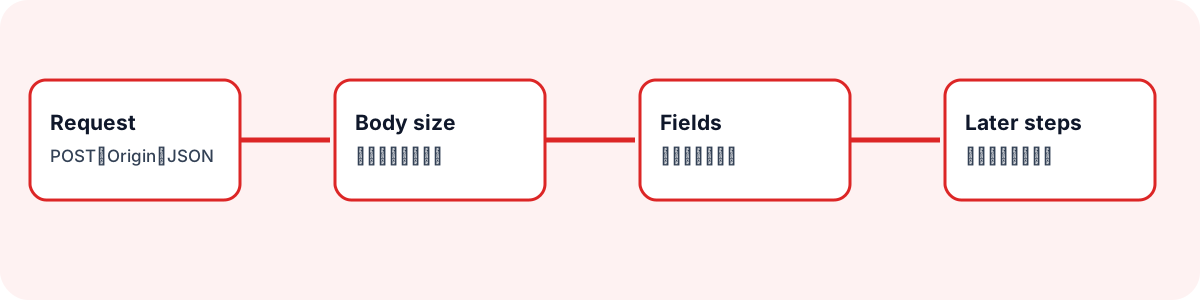
Limit Accepted Requests First
Accept only the POST request shape expected from the form, and reject unexpected methods, origins, and content types before parsing the body.
if (request.method !== 'POST') return json({ ok: false }, 405);
if (request.headers.get('Origin') !== siteOrigin) return json({ ok: false }, 403);
if (!request.headers.get('Content-Type')?.includes('application/json')) {
  return json({ ok: false }, 415);
}
Origin checking is not a complete anti-abuse system, but it defines the intended boundary. Keep failure bodies minimal so they do not reveal internal validation details.
Enforce a Body Limit While Reading
Content-Length is useful but not sufficient as the only guard. Count bytes while reading the stream and stop when the limit is exceeded.
let size = 0;
const chunks: Uint8Array[] = [];

for await (const chunk of request.body ?? []) {
  size += chunk.byteLength;
  if (size > 24_000) return json({ ok: false }, 413);
  chunks.push(chunk);
}
Choose the limit from the allowed field sizes and encoding overhead. Do not turn a text contact endpoint into an attachment-upload path.
Validate JSON Shape and Fields
Valid JSON can still be an array, null, or an unexpected object. Accept only an object, trim strings, then apply format and length limits.
const value = await request.json();
if (!value || Array.isArray(value) || typeof value !== 'object') {
  return json({ ok: false }, 400);
}

const name = typeof value.name === 'string' ? value.name.trim() : '';
const message = typeof value.message === 'string' ? value.message.trim() : '';
if (!name || name.length > 100 || message.length < 10 || message.length > 5_000) {
  return json({ ok: false }, 400);
}
Apply suitable format and size rules to email, subject, and token fields as well. Client validation improves usability; Function validation enforces the boundary.
Keep Responses Minimal and Non-Cacheable
Return JSON with Content-Type and Cache-Control: no-store. Separate a visitor-facing failure message from internal diagnostics, and never include credentials, recipient addresses, or raw mail-service responses in a public response. Input validation is separate from Turnstile verification, rate limiting, and secret management; separating those stages makes failures easier to diagnose.